 Algo AI 360
remove.bg vs Canva vs Cutout for Product Photos (After December 1, 2026)
The short answer
remove.bg's standalone service ends on 1 December 2026 and its background removal moves into Canva. Pick Canva if you already design there and don't mind a subscription and uploads. Pick Cutout if you're on Windows and process product photos in volume: it's $49 once, works offline, and outputs marketplace-ready files. For a few images a month, a free web tool beats both.
For years "remove.bg it" was the default answer for product photos. With the standalone service closing, a lot of sellers are choosing again, often with listings waiting. This is the side-by-side we wished existed: not which tool is "best", but which one fits how you work.
Side by side
| remove.bg | Canva | Cutout | |
|---|---|---|---|
| Available after 1 Dec 2026 | No (standalone ends; Enterprise API continues) | Yes | Yes |
| Price model | $3 for 3 credits, or $9/month for 40 (until shutdown) | Canva Pro, US$144/year (remover listed under Pro) | $49 one-time, unlimited |
| Where it runs | Web, desktop app, API | Browser and Canva apps | Windows 10/11 desktop |
| Works offline | No | No | Yes (after one-time activation) |
| Your photos uploaded | Yes | Yes | No, they stay on your PC |
| Batches | Yes (desktop app / bulk, until shutdown) | remove.bg says Canva offers bulk removal; test it on your own folder | Whole folders, unlimited |
| Marketplace sizing | No | General design resizing | Presets for 13 marketplaces and social platforms |
| Amazon main-image check | No | None we found | Yes: exact white, 85% fill, size, no text/logos |
| API | Moving to Leonardo.ai | (Leonardo.ai, also Canva-owned) | No |
| Mac | Web, yes | Yes | No |
Where each one wins
Canva wins if you design everything there
Canva is a full design suite. If your listing images, social posts and banners already live in Canva, removing the background inside the same design is the smoothest path, and it works on Mac, Windows and in the browser. It's also remove.bg's official successor and uses the same technology.
Cutout wins if you list products in volume on Windows
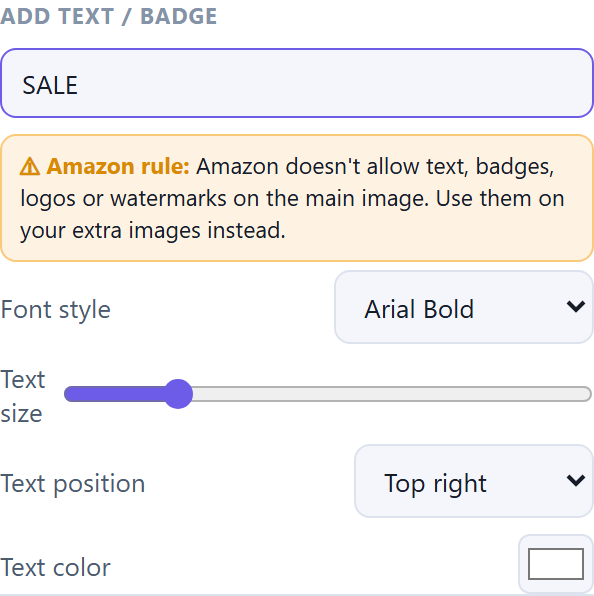
Cutout is built for one job: turning a folder of phone photos into marketplace-ready listings. No account, no credits, no uploads. Pick Amazon and every image comes out at 2000×2000 on pure white (RGB 255, 255, 255) with the product filling the frame; pick Etsy and files are kept under 1 MB so uploads finish. If you add a "SALE" badge with Amazon selected, it tells you Amazon doesn't allow text on the main image.
Free tools win if you only need a few images
Photoroom, Pixelcut and Adobe Express all have free options that are plenty for the occasional photo. Don't buy anything you don't need.
Others for specific jobs
Developers: remove.bg's API is moving to Leonardo.ai. Photoshop-plugin users: remove.bg suggests Affinity, which it says is free.
What each one costs today
| Option | Price | What you get |
|---|---|---|
| remove.bg pay-as-you-go | $3 | 3 credits (about $1 per full-quality image). Credits expire 1 December 2026. |
| remove.bg subscription | $9 / month | 40 credits a month (about 23¢ per image), includes bulk editing. Ends with the standalone site. |
| remove.bg free account | $0 | The basics, plus 1 trial credit for AI edits. Gone after 1 December. |
| Canva Pro | US$144 / year | Background remover plus Canva's full design suite. Canva's pricing page lists background removal under Pro, not Free. Free trial offered. |
| Cutout | $49 once | Unlimited photos on Windows, offline. No credits, no renewal. |
The math for a seller
Say you list 100 product photos a month. On remove.bg's $9 plan, 40 credits would cover less than half of them. Canva Pro is US$144 a year, every year. Cutout is $49 once: about four months of Canva Pro, and nothing after that. In year two you've paid $288 for Canva Pro and still $49 for Cutout.
That's not the whole story. Canva Pro buys a full design suite, not just a background remover, and if you'd use those tools it's good value. Cutout only makes sense if what you need is clean, marketplace-ready product photos, in volume, on Windows.
If you used remove.bg free, one photo at a time
That free option goes away on 1 December, and Canva's free plan doesn't list background removal. For a few photos a month, the free tiers of Photoroom, Pixelcut or Adobe Express will likely do the job, so start there. Cutout is for the day one-at-a-time stops keeping up: a whole folder of new stock, done in one pass.
Verdict: designers living in Canva → Canva. Developers → Leonardo.ai. A few photos a year → a free tool. Windows sellers processing real volume who want their photos to stay on their PC → Cutout.
Also useful: remove.bg is moving to Canva: what sellers should do · remove.bg desktop app alternative for Windows · Cutout manual
FAQ
Can I still use remove.bg after December 1, 2026?
Not the standalone website: remove.bg's FAQ says it will no longer be available from 1 December 2026 at 9:00am CET. Background removal moves to Canva, the self-service API to Leonardo.ai, and Enterprise API contracts continue.
How much does remove.bg cost?
Until the standalone site closes on 1 December 2026: $3 for 3 credits, or $9 a month for 40 credits (bulk editing included), per remove.bg's pricing page on October 13, 2026. Unused pay-as-you-go credits expire on 1 December.
Is Canva's background remover free?
Canva's pricing page lists background removal under Canva Pro (US$144 a year for one person in the US, checked October 13, 2026), not the Free plan. A free trial is offered.
Which is cheapest for high-volume product photos?
On Windows, a one-time desktop tool such as Cutout ($49, unlimited) usually costs less over time than a subscription or per-image credits. For a few images a month, a free web tool costs nothing.