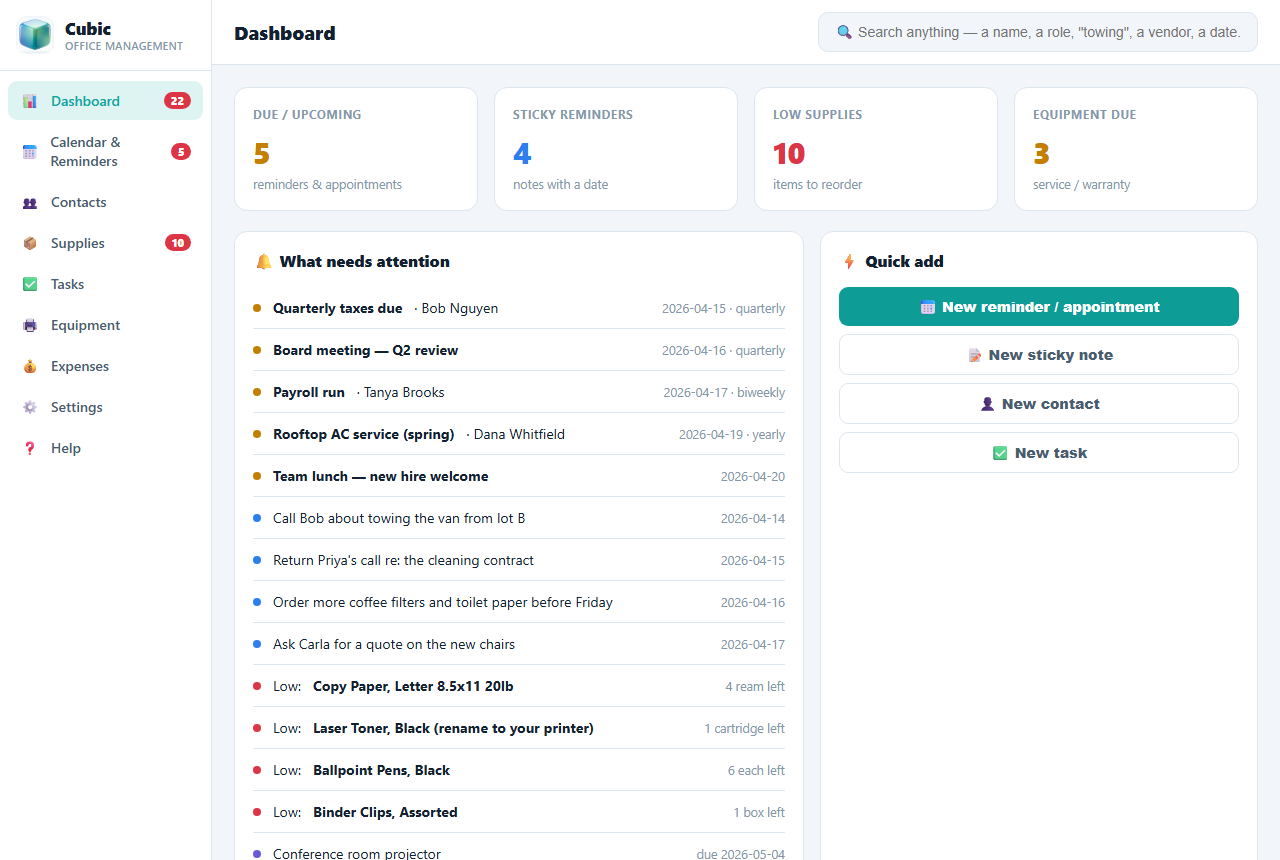
Cubic keeps your whole office in one place. Reminders and appointments that pop up on their own, a supply closet that reorders itself, and a search bar that finds anyone by a note you jotted down. Works 100% offline. One price. No monthly fees. Ever.

Most offices juggle a calendar app, a notes app, a spreadsheet for supplies, and a shared drive, each with its own login and monthly bill. There's a simpler way.
Everything an office actually needs, and nothing it doesn't. Here's what makes Cubic different.
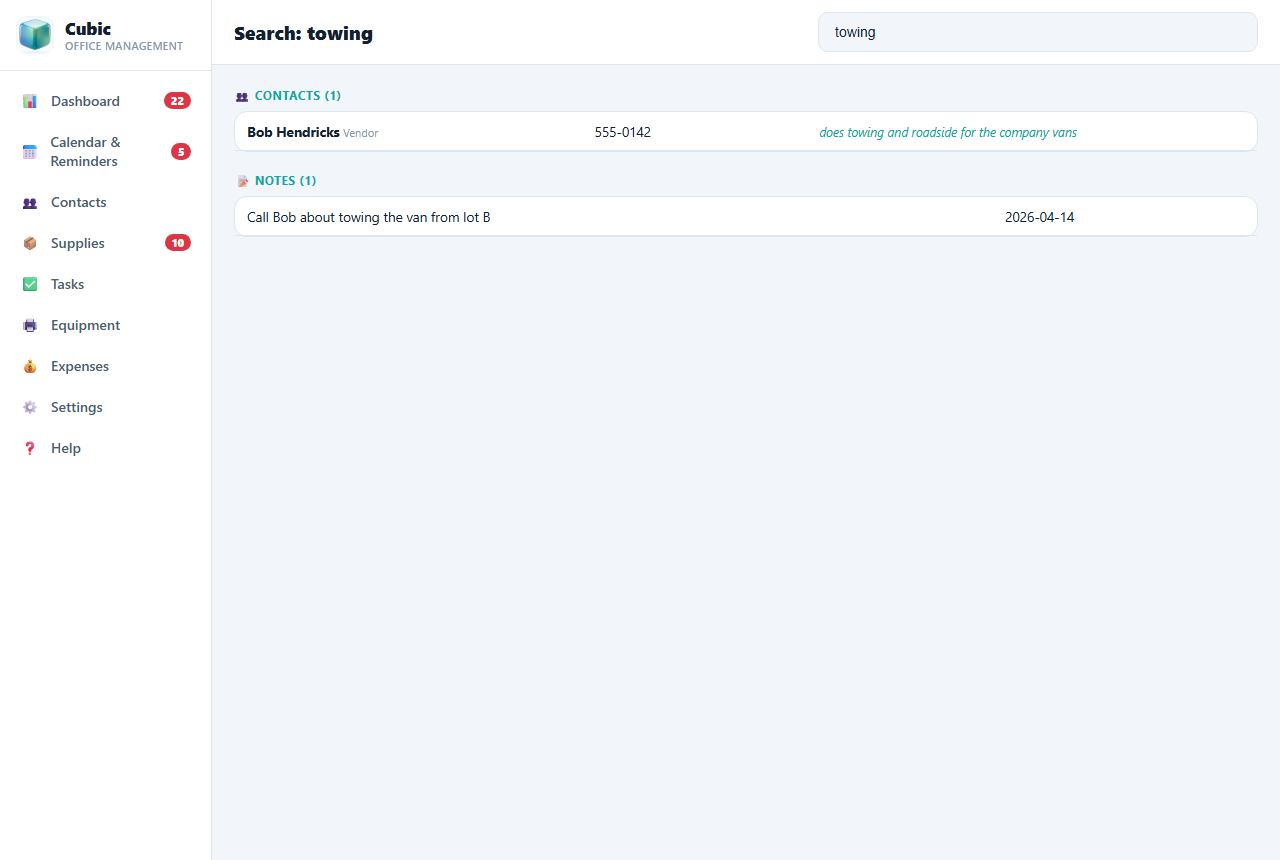
Got three people named Bob? Type what one of them does, "towing", "the CPA", "cleaning", and Cubic finds the right one from the note on their contact, without ever typing their name. It searches contacts, supplies, reminders, tasks, notes, and equipment all at once.
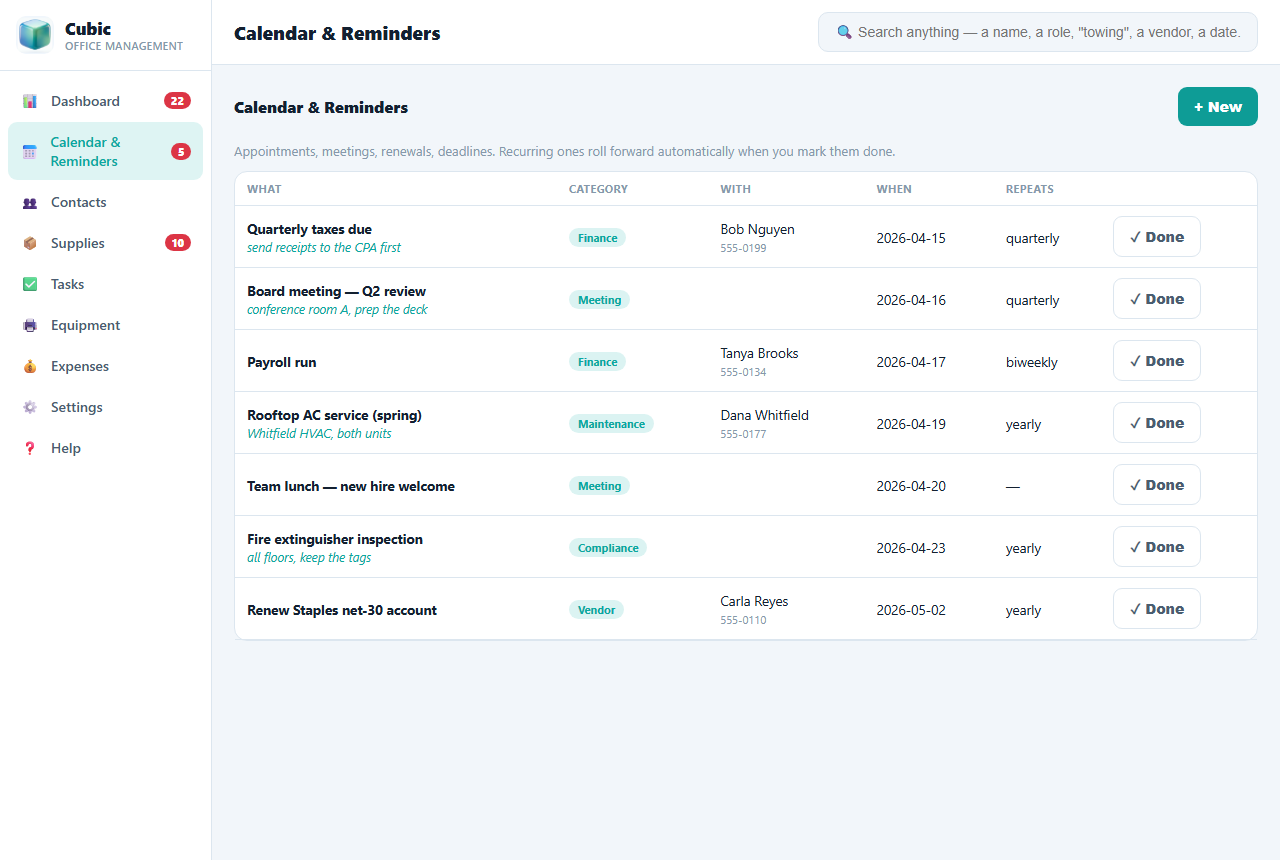
Board meetings, appointments, renewals, inspections, payroll. Set it once and Cubic warns you ahead of time, even when the window is closed. Mark a repeating reminder done and the next one is created automatically. You never re-enter a weekly task.
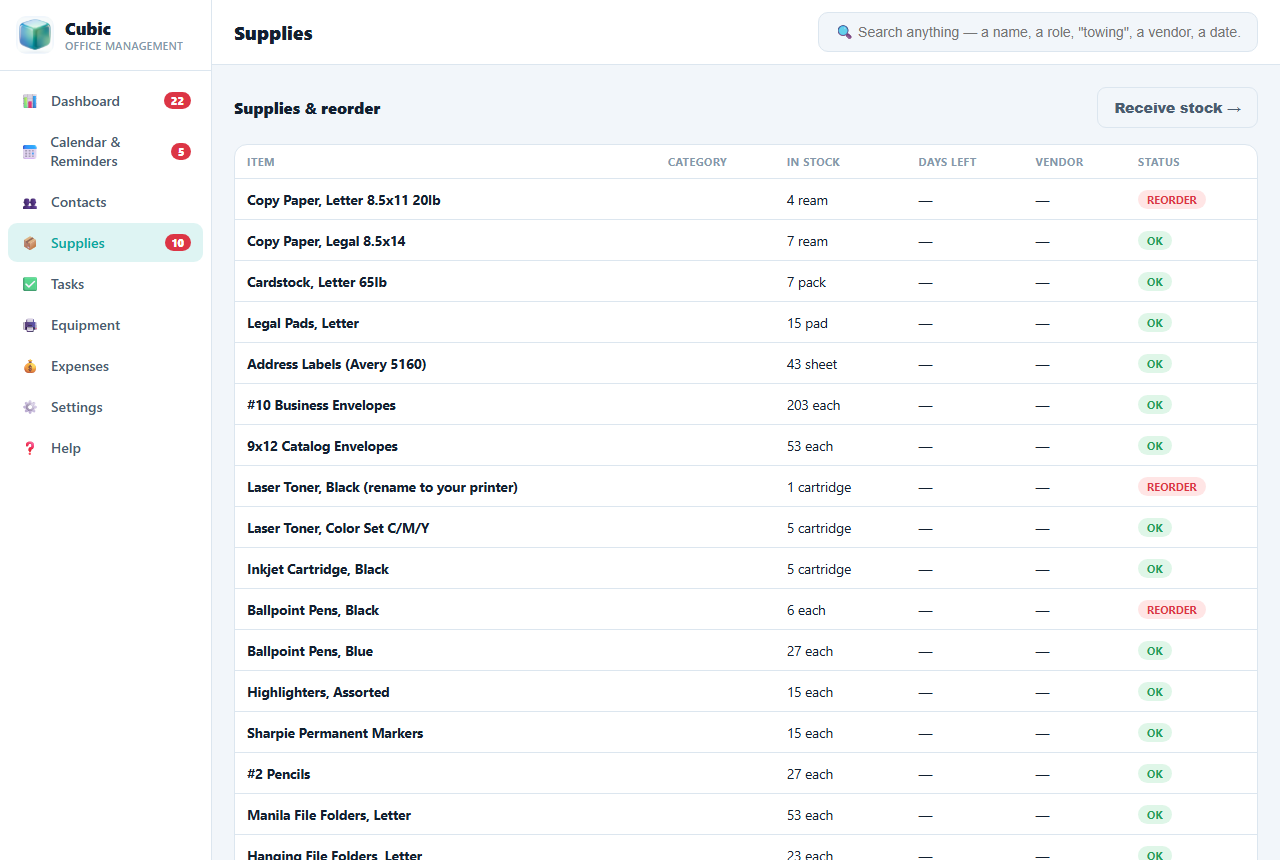
Cubic comes pre-loaded with a full office supply list, paper, toner, coffee, cleaning, toilet paper, and more. It tracks what you have and warns you before you run out. Buy by the case, use by the each, it does the math.
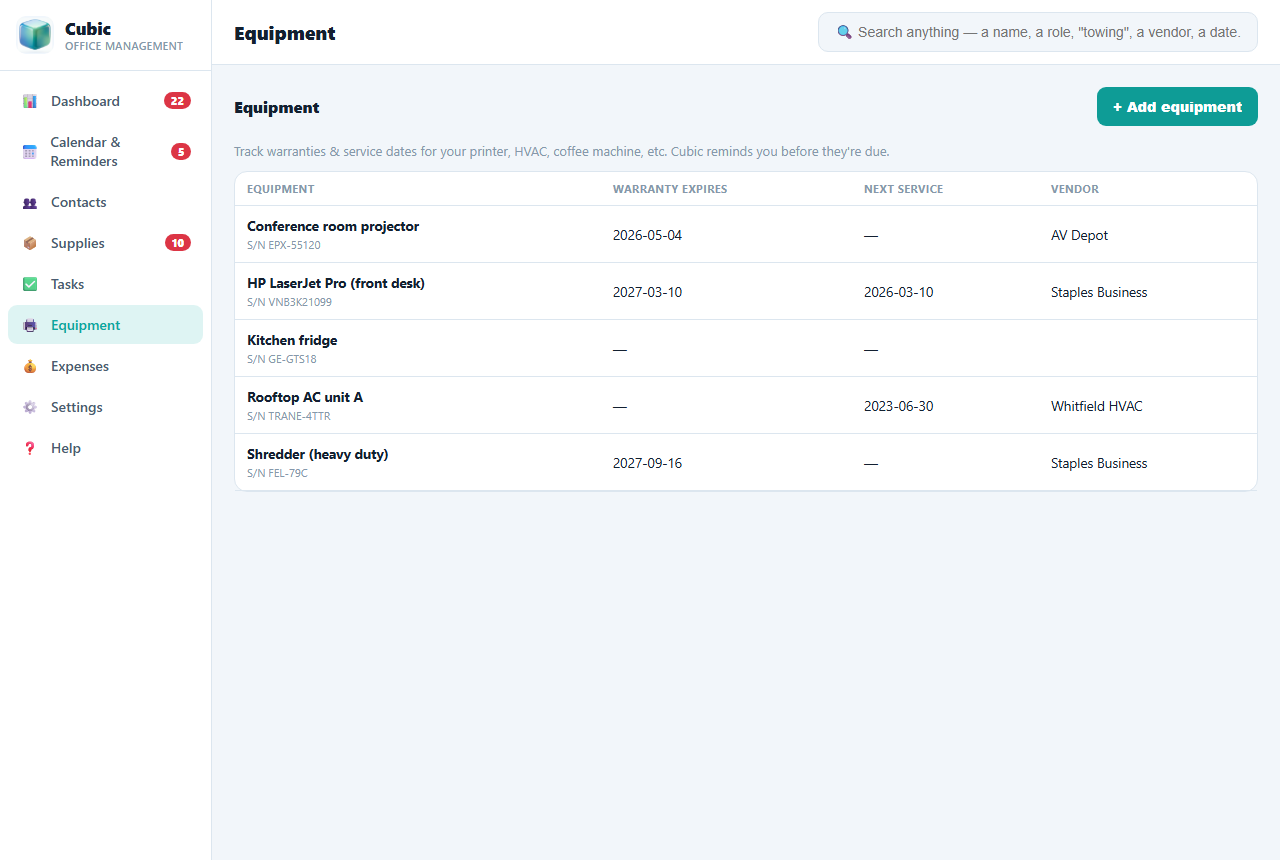
Keep every printer, projector, and AC unit in one register with warranty and service dates. Assign tasks to staff with due dates. Log spending by category to see where the money goes. It's your whole back office on one screen.
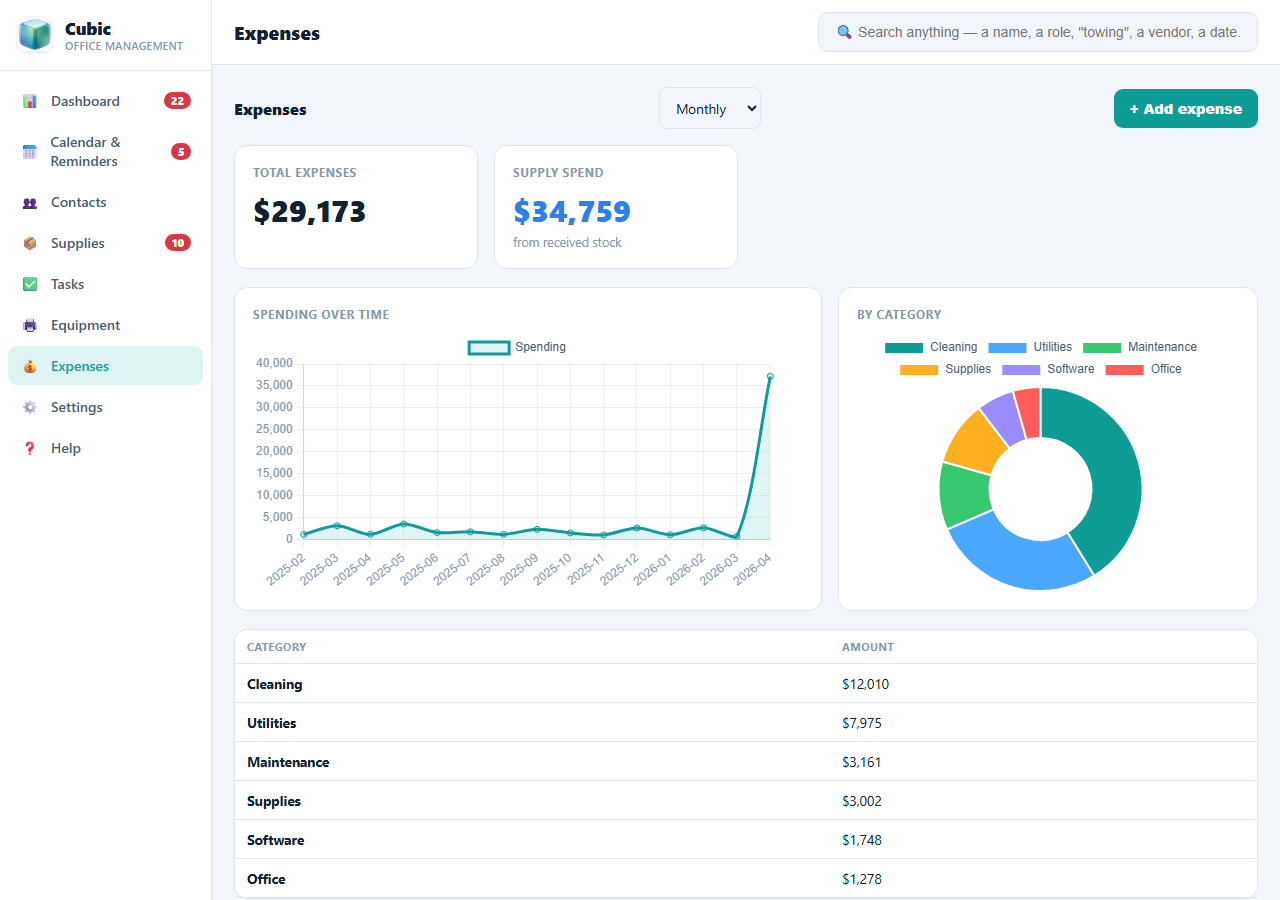
Log what the office spends and Cubic shows it back to you as clear charts, a spending line you can switch between daily, weekly, monthly, quarterly, and yearly, plus a breakdown by category. See the whole year at a glance, or zoom into a single week.
Honest comparison. Cubic replaces a pile of subscriptions with one app you own.
| Cubic | Cloud office suites | Note + task apps | Spreadsheets | |
|---|---|---|---|---|
| Price | $79 once | $12–30/user/mo | $8–20/mo each | Free but manual |
| Works offline | ✓ Yes | ✗ | Mostly ✗ | ✓ |
| Search by a note | ✓ Yes | - | Partial | ✗ |
| Reminders pop up on their own | ✓ Yes | ✓ | ✓ | ✗ |
| Supply reorder alerts | ✓ Yes | - | - | Manual |
| Data stays on your PC | ✓ Yes | ✗ | ✗ | ✓ |
| Own it forever | ✓ Yes | ✗ rent | ✗ rent | ✓ |
A stack of office subscriptions runs $50–150 every month. Cubic costs less than one month of that, once.
Cubic is for the office that runs on its own computer: a small business, a solo operator, a front desk, or a department that's tired of monthly fees and scattered apps. It runs on the Windows or Linux PC on your desk and keeps your data private and offline.
It's not a live cloud suite that syncs across ten laptops in real time, and it isn't email or a phone system. If you need a whole team editing the same document from different cities, the big cloud suites do that (for a monthly bill per person). Cubic keeps one office organized, better, cheaper, and offline. We'd rather tell you the truth than sell you the wrong thing.
The expense view is a spending overview to help you run the office, not a replacement for your accountant or tax software.
Yes. $79, one time. No subscription, no account, no expiry. It's yours forever, including free updates.
No. Cubic runs 100% offline on your computer. If your Wi-Fi goes down, you keep working, unlike the cloud tools.
Yes. Turn on "Start with Windows" and Cubic runs quietly in the system tray, popping up reminders for meetings, low supplies, and notes you set, even with the window closed.
Windows and Linux. It installs like any normal program and opens in its own window.
On your own computer, never on someone else's server. We show you how to back it up safely (to a USB drive or a cloud folder you already use), and it repairs itself from your backup if the file is ever damaged.
Absolutely. Cubic comes pre-loaded with sensible office defaults, and you can change or add every item, category, and reorder point to match your office.
Yes, a full illustrated user guide is built right into the app, and you can print it.